Notarized by Apple · macOS 13+

Clean your keyboard.
Break absolutely nothing.

Keyiddle locks every key and click while you clean your MacBook — then hands your keyboard right back. Guarded the entire time.

$3 one-time · Apple Silicon & Intel · No subscription, ever

Meet Keydy — he guards your keyboard while you clean. (Go on, click him.)
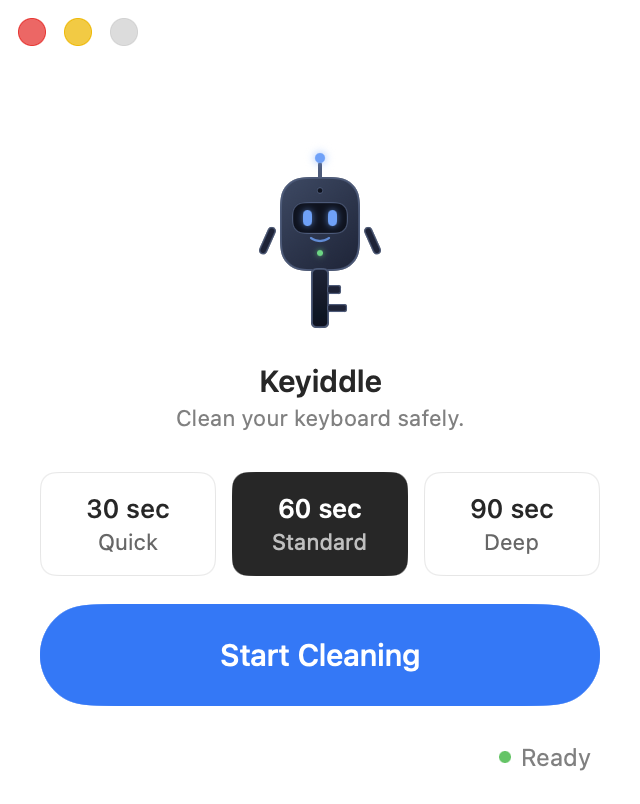
The Keyiddle app window: Keydy the robot mascot above duration presets of 30, 60, and 90 seconds, and a Start Cleaning button.
🛡️ Developer ID signed ✓ Notarized by Apple 🔒 Zero data collection ⚡ Native Swift, < 10 MB

Four steps. Zero anxiety.

Keyiddle takes over your keyboard for exactly as long as you need — and not a second longer.

1

Choose duration

30 seconds for a quick wipe. 60 for standard. 90 if you're really going in.

2

3-2-1 countdown

Get your cloth ready. The keyboard locks the moment the countdown ends.

3

Clean freely

Every key is blocked. Scrub, spray, wipe — nothing will trigger.

4

Done automatically

Time's up. Keyboard restored. No action required on your part.

A tragedy in 4 acts.
Then Keydy shows up.

What happens when you clean an unlocked keyboard — and how it should have gone.

Runs on a loop. No actual jobs were lost in the making of this demo.

Engineered like it matters.
Because your keyboard does.

🔒

Complete keyboard lock

Blocks every key — media keys, volume, brightness, modifiers, external keyboards, and the Touch Bar on Macs that have one.

🤖

A watchdog that never sleeps

A separate guard process monitors Keyiddle every 500 ms. If the app ever crashes, your keyboard is restored within 3 seconds. Automatically.

⏱️

5-minute hard limit

Unconditional and unhackable — even by us. Your keyboard always comes back within 5 minutes, no matter what.

🖱️

Everything blocked, nothing broken

Keys, clicks, drags, media keys — all suppressed. The session ends itself on the timer; closing the lid ends it instantly.

Accessibility, done right

Full VoiceOver labels and Reduce Motion support. Premium means built for everyone.

🔋

Zero resource footprint

Native Swift, under 10 MB, idle 99.9% of the time. No Electron. No background polling. No battery drain.

Private by design

Keyiddle never reads your keystrokes — it only blocks them. No analytics, no tracking, and no network access of any kind. Everything runs locally on your Mac.

✓ No data collection ✓ No internet access ✓ No analytics ✓ No third-party SDKs ✓ Notarized by Apple

Questions, answered.

Does Keyiddle read what I type?

No. Keyiddle sees that a key event happened, but not which key. It only suppresses the event — it never logs, records, or reads keystrokes.

What if the app crashes while my keyboard is locked?

A background watchdog monitors Keyiddle and restores your keyboard within 3 seconds if the app crashes or freezes. There's also a 5-minute hard safety timeout built into the app itself. You cannot get permanently locked out.

Does it work with external keyboards?

Yes. Keyiddle intercepts events at the macOS session level, which covers all keyboards macOS recognizes — built-in, USB, and Bluetooth.

Why isn't it on the Mac App Store?

The App Store sandbox blocks the low-level API that Keyiddle uses to intercept keyboard input. This affects every serious input utility on macOS. Keyiddle is Developer ID signed and notarized directly by Apple — the security is equivalent.

Does it block Touch ID?

No. Touch ID is handled at the Secure Enclave level, outside the reach of any event tap.

Is there a subscription?

No. Keyiddle is $3, once. Every feature included, free updates for life, and a 30-day money-back guarantee if it's not for you.

Three dollars.
Cheaper than a broken keyboard.

One-time purchase
$3

Buy once, use forever · Free updates for life

  • Full keyboard, mouse & Touch Bar lock
  • Keydy the background watchdog
  • 30s / 60s / 90s presets
  • macOS 13 Ventura and later
  • Apple Silicon & Intel native
  • Zero telemetry — fully offline
Get Keyiddle — $3

30-day money-back guarantee. No questions asked.